

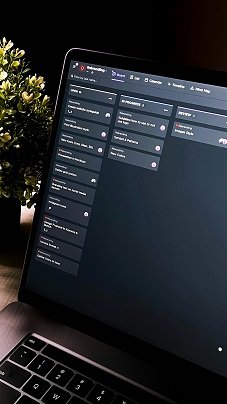
Project management tools are software applications designed to assist in organizing, planning, and tracking the progress of various projects. These tools cater to individuals and teams, providing features that streamline the project management process, making it easier to monitor tasks, deadlines, and resources. For beginners entering the field of project management, these tools serve as essential companions that facilitate a smoother transition into managing projects efficiently.
The importance of project management tools cannot be overstated, as they help maintain clarity and structure throughout the project lifecycle. One of the primary benefits is that they allow project managers to break down complex projects into manageable tasks, assign responsibilities, and set timelines. This structured approach not only enhances productivity but also fosters collaboration among team members, as everyone can stay informed about their roles and the overall progress of the project.
Common features of project management tools include task assignment, progress tracking, document sharing, and communication channels. These functionalities enable users to visualize the project’s status, prioritize tasks, and ensure that deadlines are met. Furthermore, many project management tools come equipped with reporting capabilities, which can provide insights into productivity and help identify bottlenecks that may hinder progress.
For those new to project management, free options are particularly advantageous. They allow beginners to explore the functionalities of project management tools without any financial commitment. Utilizing free tools offers an excellent opportunity for newcomers to gain hands-on experience and develop their skills before investing in more advanced functionalities and features. In essence, leveraging these free project management tools can set a solid foundation for effective project execution and management.
Key Features to Look for in Free Project Management Tools
When selecting a free project management tool, especially for beginners, it is vital to consider several key features that can significantly impact the effectiveness of the tool. One of the most important features is task management. A user-friendly system should allow you to create, assign, and track tasks easily, helping teams stay organized. This feature typically includes options for setting deadlines, priorities, and task dependencies, making it much simpler for beginners to manage their projects smoothly.
Another essential aspect is collaboration capabilities. Effective communication is crucial in project management, and the right tool should facilitate team discussions and information sharing. Look for tools that offer real-time collaboration features, such as commenting on tasks, sharing documents, and instant messaging options. This helps ensure that all team members are on the same page, which is especially important for newcomers who may need guidance from more experienced colleagues.
Additionally, time tracking features can be incredibly beneficial for beginners as they learn to manage their time effectively. A tool that provides time tracking capabilities allows users to monitor how much time is spent on specific tasks and projects. This insight not only aids in productivity but also helps in understanding where adjustments may be needed.
Finally, reporting functions should not be overlooked. These enable users to generate reports on project progress, team performance, and individual contributions, thus fostering a better understanding of project dynamics. Alongside these features, the importance of ease of use and an intuitive user interface cannot be emphasized enough. A simple and visually appealing layout will help beginners navigate tools easily, minimizing the learning curve and encouraging adoption. Together, these features create a robust foundation for managing projects effectively, making it easier for beginners to flourish in their roles.
Top Free Project Management Tools for Beginners
Project management is vital for maintaining organization and productivity, especially for beginners. Fortunately, there is a variety of free project management tools available that can assist users in managing their tasks effectively. Below is a curated list of some of the best options suited for those who are new to project management.
Trello is a popular tool known for its simple, drag-and-drop interface. It uses boards, lists, and cards to help users visualize their tasks and projects. It is well-suited for small teams and individual projects. The main advantage of Trello is its user-friendly design, but it may lack some advanced features found in other tools.
Asana offers a more structured approach, allowing users to create tasks, assign them to team members, and set deadlines. This software is ideal for teams that need to track multiple projects simultaneously. Asana excels in integrating with other applications, although beginners may find its array of features slightly overwhelming at first.
ClickUp stands out with its flexibility, offering features like document sharing, goal tracking, and time management tools. It is highly customizable, making it suitable for various types of projects, whether solo or collaborative. One downside, however, is that the extensive options can lead to confusion for new users trying to optimize their workflows.
Basecamp takes an all-in-one approach to project management, providing tools for messaging, file sharing, and scheduling in one platform. It is particularly beneficial for remote teams who require effective communication and collaboration. However, its simplicity may not cater to larger teams with more complex project needs.
Ultimately, selecting the right project management tool depends on your individual requirements and preferences. Each of these platforms presents unique advantages and limitations that will help beginners navigate their projects with ease.
Getting Started with Your Chosen Project Management Tool
Embarking on your journey with a project management tool can transform the way you handle tasks and collaborate with your team. To effectively get started, follow these essential steps to ensure a smooth integration of your chosen tool into your workflow.
Initially, after selecting a tool that meets your project needs, take the time to familiarize yourself with its interface. Most project management platforms offer a structured onboarding process. Utilize these tutorials, which are often accessible directly on the platform’s website, to gain a fundamental understanding of its features. Learning the core functionalities will significantly ease your transition.
The next step involves setting up your project. Begin by creating a new project space within the tool. Provide a descriptive title that reflects the objective of the project. Once the project is established, you can begin inviting team members. Most tools allow you to add users seamlessly, enabling collaboration from the outset. Ensure everyone has the appropriate access rights based on their roles, which helps maintain organization and efficiency throughout the project.
Following this, create detailed task lists for each member. Break down large tasks into smaller, manageable ones and assign deadlines to ensure accountability. Encourage team members to update their task statuses regularly. This promotes transparency and keeps everyone aligned with the project timeline.
Lastly, optimize your use of the selected tool’s features. Explore functions such as time tracking, file sharing, and progress monitoring to enhance productivity. Many project management tools also feature community forums and support channels where you can ask questions and share experiences with other users. Leveraging these resources can provide invaluable insights, especially for beginners.