

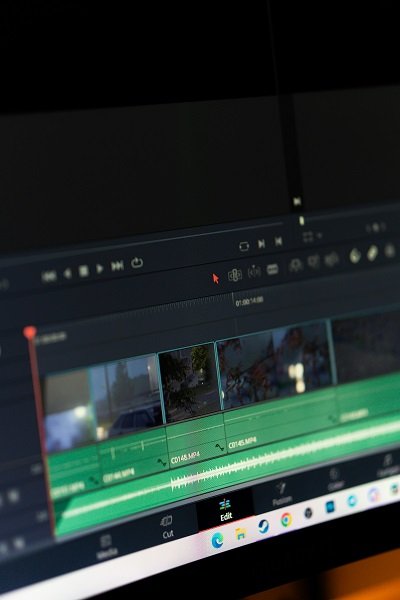
Video editing software is a crucial tool for individuals looking to create and share captivating video content. For beginners, understanding the significance of video editing software is essential, as it allows them to express creativity, enhance storytelling, and engage audiences effectively. In today’s digital landscape, the rise of video content has made good editing tools more important than ever, whether for personal projects, social media, or professional use.
There are various types of video editing software available, ranging from professional-grade programs that offer advanced features to user-friendly applications designed specifically for beginners. The former typically come equipped with a multitude of options for detailed editing, FX, and color grading but can carry a steep learning curve that may overwhelm new users. Conversely, beginner-friendly video editing software is generally more accessible, providing foundational tools that simplify the editing process and allow novices to become familiar with video manipulation without unnecessary complexity.
This distinction is important as it highlights the needs of beginners; those entering the realm of video creation may find it beneficial to start with free software options. Free video editing software often retains a level of quality and functionality suitable for entry-level projects while also offering the opportunity to learn basic techniques and workflows. This makes it an excellent gateway for new video editors, allowing them to gradually build their skills before potentially transitioning to more sophisticated, paid programs in the future.
Top Features to Look For
Choosing the right video editing software can significantly influence your creative process, especially for beginners. When evaluating free video editing software, several essential features should be taken into account to ensure a pleasant and productive experience.
First and foremost, a user-friendly interface is crucial. Beginners benefit from intuitive layouts that simplify navigation and make the software accessible. Look for applications that offer straightforward toolbars, clear labels, and a minimal learning curve. A software that prioritizes ease of use will allow newcomers to focus on their creativity rather than wrestling with complicated features.
Basic editing tools form the foundation of video editing. Ensure that the software includes essential functionalities like cutting, trimming, and merging clips. These tools are vital for assembling the narrative and crafting the final product. Additionally, having options to enhance your videos with effects and filters can greatly improve the visual appeal. Features like transitions, text overlays, and color correction enable users to add a professional touch to their projects.
Another important aspect to consider is audio editing capabilities. A video is not complete without a complementary audio track. Thus, the ability to edit audio, balance levels, and even include sound effects directly within the software can save time and enhance the overall quality of the video.
Finally, check the compatibility with various file formats. A good video editing software should support multiple input and output formats to ensure that you can work with different media sources and share your content across different platforms without issues.
Best Free Video Editing Software Recommendations
For beginners venturing into the world of video production, selecting the right video editing software can be pivotal. Below are some of the top recommendations, carefully tailored to suit the needs of novice editors.
1. DaVinci Resolve: DaVinci Resolve is a powerful editing software that offers a free version with an extensive array of features. With a professional-grade color correction toolset and advanced audio post-production capabilities, it’s an excellent choice for beginners who are serious about learning video editing. However, its advanced features might present a steeper learning curve for absolute novices.
2. Shotcut: Shotcut is a versatile, open-source video editor that supports many formats and offers a user-friendly interface. Key features include support for 4K resolution, a variety of video effects, and a modular interface that can be customized to suit individual preferences. While it has a straightforward layout, some users may find the inconsistency in performance across different operating systems a slight drawback.
3. OpenShot: OpenShot is well-regarded for its simplicity and ease of use, making it ideal for beginners. It offers features such as drag-and-drop support, video transitions, and animated titles. The intuitive interface allows users to grasp basic editing techniques quickly. However, it may lack the advanced tools found in heavier software for professionals.
4. Lightworks: Lightworks has been used for professional film editing, yet it offers a free version accessible for beginners. It includes professional-quality video effects and real-time editing capabilities. A notable limitation is the export resolution in the free version, capping to 720p. Still, its powerful editing tools provide an excellent learning ground.
Each of these software options can help newcomers develop their skills and lean towards professional video editing, making them the best free video editing software available for those starting out.
Getting Started with Video Editing: Tips for Beginners
Starting your journey in video editing can be both exciting and daunting. To navigate this landscape effectively, beginners should consider several practical tips and resources that can greatly help in enhancing their skills. First and foremost, it is vital to choose the right free video editing software that aligns with your skill level. Many platforms offer intuitive interfaces suitable for beginners, making them an excellent starting point.
To further your understanding and proficiency, utilize online resources, such as tutorials and forums related to your chosen software. Websites like YouTube have countless video tutorials that guide you step-by-step through different editing techniques. Engaging with online communities can also provide valuable insights and support from fellow beginners and experienced editors alike.
Next, organization is key to efficient video editing. Develop a system for managing your media files, including video clips, audio tracks, and images. Create folders with clear labels, categorizing content by project or type. This practice will save you time during the editing process, allowing you to focus on creativity rather than searching for files.
When it comes to editing, start simple. Introduce basic transitions and effects gradually, ensuring each addition serves a purpose in enhancing your story. Edit with intention, carefully considering how each cut affects the overall flow and message of your video. Remember to experiment: don’t shy away from trying out different techniques and styles. Over time, this experimentation will help you develop your unique editing style.
Ultimately, the most important factor in becoming proficient in video editing is practice. The more you edit, the more confident and skilled you will become. Embrace the learning process, and don’t hesitate to make mistakes; they often lead to the most valuable lessons. By combining these tips with a positive mindset and a commitment to growth, beginners can embark on an exciting video editing adventure.